
Curated Category 10 workflows · 8 web/canvas · 2 platform/product Source reviewed

Top 10 Accessibility Skills for AI Coding Agents

Choose a skill for the accessibility task you need to fix: forms, keyboard focus, live updates, or regression checks. PixiJS, Apple UI, and VS Code workbench options apply only to those codebases.

Select the skill that fits your stack and requirements. Automated snippets, DevTools checks, and color contrast measurements provide useful evidence for specific decisions, but they do not replace human review or full interface testing.

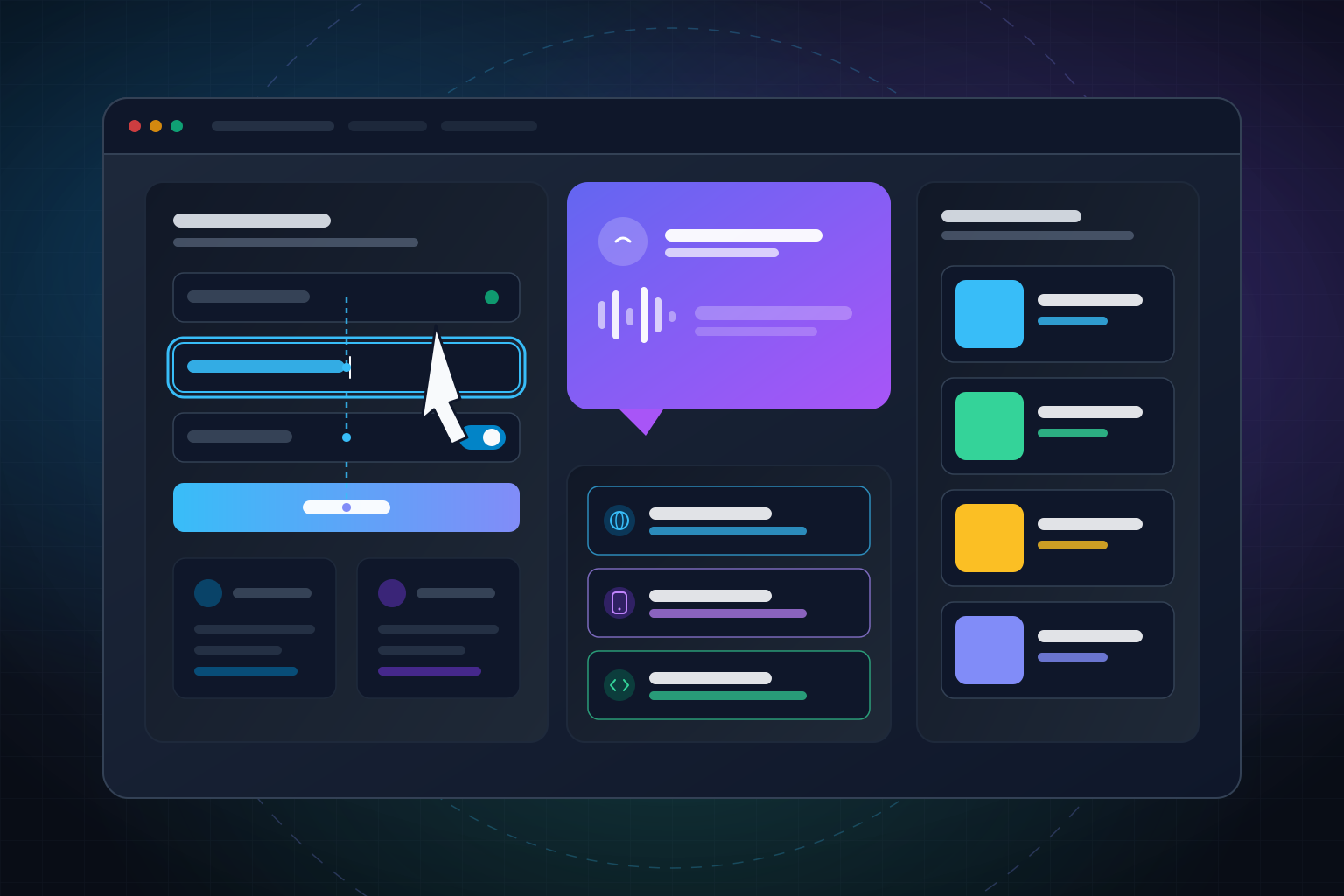
Editorial illustration of web and platform accessibility workflows showing focus path, ARIA live speech feedback, color tokens, and target interface cards.

How this catalog was selected

  • Choose a task, not a bundle. Select the workflow for your specific environment. Web UI remediation, browser DevTools, canvas overlays, forms, focus, status, CI, color systems, Apple platforms, and VS Code product code address separate tasks.
  • Read the source. Each card links directly to its SKILL.md source file with its exact install command and pinned commit reference.
  • Check prerequisites and limits. Every entry lists what is required and what the skill scope covers, helping you avoid misapplying tool results.
  • Diverse maintainers. Selected across seven independent maintainers with at most four entries from any single source.

Select the accessibility workflow by decision

Match the task to the decision in front of the agent. The 10 skills separate everyday web UI tasks, browser debugging, canvas layers, interaction design, regression gates, color measurement, and targeted platform environments.

8 web and canvas workflowsWeb / Canvas Ecosystem
1. Web UI RemediationWeb UI

fixing-accessibility

Surgical repairs for specific web interface defects without triggering unnecessary broad redesigns.

Scope: Targeted web UI remediation guide.
2. Browser MCP DiagnosticsBrowser MCP

a11y-debugging

Inspect rendered Chrome accessibility tree, DOM, keyboard focus, and Lighthouse findings.

Scope: Requires configured Chrome DevTools MCP.
3. PixiJS Canvas LayerCanvas / PixiJS v8

pixijs-accessibility

Describe DOM overlay for selected objects in PixiJS v8 canvas scenes.

Scope: PixiJS v8 interactive canvas scenes.
4. Form Error RecoveryWeb Forms

forms

Validation, label associations, autofill, multi-step flows, and preserving input values during error recovery.

Scope: Web form validation and error recovery.
5. Keyboard & Focus MechanicsKeyboard Focus

keyboard

Native versus composite key navigation, focus restoration, modal boundaries, and obscured controls.

Scope: Web keyboard focus navigation & restoration.
6. Status AnnouncementsARIA Live

aria-live-regions

Mechanism selection for dynamic updates, handling racing or busy states, and manual AT verification.

Scope: Dynamic ARIA live status announcements.
7. CI Regression GatesAutomated CI

ci-cd

Scan representative rendered states, establish baselines, handle incomplete results, and require review for suppressions.

Scope: Automated CI pipeline regression policy.
8. Color Tokens & ContrastColor Systems

better-colors

Build color token structures and measure rendered foreground/background contrast pair data.

Scope: Rendered contrast pair measurement.
2 Conditional Platform & Contributor ChoicesContext-Specific Scopes
9. Apple Native PlatformsSwift / iOS / macOS

ios-accessibility

SwiftUI, UIKit, and AppKit accessibility, VoiceOver, Dynamic Type, and platform AT integration.

Prerequisite: Xcode & Apple platform tooling.
10. VS Code Product CodeVS Code Contributor

accessibility (microsoft/vscode)

Accessible View providers, Accessibility Help registry, verbosity, and return-focus patterns inside VS Code.

Strict Audience: ONLY for contributors to VS Code's workbench product codebase.

Top 10 Accessibility Skills at a Glance

A comparative index of the top picks. Click any card to navigate directly to its detailed review.

#01

better-colors

GitHub avatar for jakubkrehel
GitHub account @jakubkrehel

Build or inspect color tokens and report measured rendered contrast pairs

jakubkrehel/skills
27.5Kinstalls
#02

fixing-accessibility

GitHub avatar for ibelick
GitHub account @ibelick

Repair specific web UI accessibility defects without turning every change into a broad redesign

ibelick/ui-skills
19.8Kinstalls
#03

ios-accessibility

GitHub avatar for dpearson2699
GitHub account @dpearson2699

Implement and inspect platform-native accessibility across Apple UI frameworks and assistive technologies

dpearson2699/swift-ios-skills
4.7Kinstalls
#04

pixijs-accessibility

GitHub avatar for pixijs
GitHub account @pixijs

Describe DOM overlay for selected objects in PixiJS v8 canvas scenes

pixijs/pixijs-skills
4.6Kinstalls
#05

accessibility

GitHub avatar for microsoft
GitHub account @microsoft

Use VS Code workbench accessibility APIs, Accessible View providers, verbosity, and return-focus conventions

microsoft/vscode
3.2Kinstalls
#06

a11y-debugging

GitHub avatar for chromedevtools
GitHub account @chromedevtools

Inspect the rendered page with Chrome accessibility data, keyboard checks, Lighthouse, and DOM evidence

chromedevtools/chrome-devtools-mcp
2.9Kinstalls
#07

keyboard

GitHub avatar for mgifford
GitHub account @mgifford

Define native and composite keyboard behavior, focus movement, restoration, and visibility

mgifford/accessibility-skills
186installs
#08

forms

GitHub avatar for mgifford
GitHub account @mgifford

Make form entry, validation, authentication, and recovery understandable and recoverable

mgifford/accessibility-skills
179installs
#09

aria-live-regions

GitHub avatar for mgifford
GitHub account @mgifford

Choose a live-region mechanism and coordinate status updates, busy state, and repeated announcements

mgifford/accessibility-skills
144installs
#10

ci-cd

GitHub avatar for mgifford
GitHub account @mgifford

Gate meaningful rendered states with deliberate baselines, incomplete-result handling, and reviewed suppressions

mgifford/accessibility-skills
123installs

Install counts captured from the skills.sh registry, snapshot reviewed October 8, 2026.

Web UI and browser diagnostics

Repair specific web UI defects or inspect rendered DOM tree output using Chrome DevTools MCP.

GitHub repository card for ibelick/ui-skills

fixing-accessibility

19.8K installs ibelick Scope: Web UI remediation

Best for: Focused fixes to existing web interfaces

Prerequisites: A web UI and a concrete defect to investigate; the guide does not require a bundled local tool.

fixing-accessibility is a focused guide for repairing concrete accessibility defects in web interfaces. It helps an agent make targeted corrections without triggering unintended layout redesigns.

Use it when an existing component or interaction needs a surgical fix. For live browser diagnostics, use Chrome DevTools MCP; for forms, keyboard navigation, or live status announcements, refer to the specialized workflows below.

  • Focused web UI defect remediation
  • Surgical component repairs
  • Dialog recommendations matched to context
Scope Limits & Considerations
  • •Targeted remediation guide for specific UI repairs.
  • •Dialog patterns should match the interaction context (modal vs non-modal).
Install this skill
$npx skills add https://github.com/ibelick/ui-skills --skill fixing-accessibility
ibelick/ui-skills source skills.sh listing
Works with + more
GitHub repository card for chromedevtools/chrome-devtools-mcp

a11y-debugging

2.9K installs chromedevtools Scope: Browser diagnostics

Best for: Investigating accessibility problems in a live browser rendering

Prerequisites: A configured Chrome DevTools MCP connection and a supported Chrome browser.

a11y-debugging uses Chrome DevTools MCP to inspect rendered pages: the accessibility tree, DOM nodes, keyboard focus, and Lighthouse diagnostics provide empirical evidence from the browser engine.

Use this for live browser inspection. Code snippets inspect node state and structure; verify actual screen reader speech and output with real assistive technology.

  • Chrome accessibility-tree and DOM inspection
  • Keyboard and Lighthouse investigation
  • Configured MCP and supported Chrome required
Scope Limits & Considerations
  • •Requires a configured Chrome DevTools MCP connection and supported Chrome browser.
  • •Treat snippets as indicators: label presence does not validate a name; bbox checks omit spacing/exemptions; reduced-motion query reports user preference. Test actual speech with target AT.
Install this skill
$npx skills add https://github.com/chromedevtools/chrome-devtools-mcp --skill a11y-debugging
chromedevtools/chrome-devtools-mcp source skills.sh listing
Works with + more

Canvas interfaces

Describe a DOM overlay for selected objects in PixiJS v8 canvas scenes.

GitHub repository card for pixijs/pixijs-skills

pixijs-accessibility

4.6K installs pixijs Scope: Canvas / PixiJS v8

Best for: Implementing and reviewing accessibility support in PixiJS v8 scenes

Prerequisites: A PixiJS v8 project; the standard browser setup registers accessibility by default, while opted-out or custom configurations may need explicit import.

pixijs-accessibility describes a DOM overlay for selected objects in PixiJS v8 interactive canvas scenes, mapping canvas interactions to DOM-facing controls.

PixiJS v8's standard browser setup registers accessibility automatically; explicit imports apply when opting out or using custom builds. Name and test each interactive object; provide HTML alternatives for canvas relationships the overlay cannot express.

  • DOM overlay for selected PixiJS v8 canvas objects
  • Automatic browser registration with custom import options
  • Interactive DOM overlay mapping
Scope Limits & Considerations
  • •Standard PixiJS v8 registers accessibility automatically; explicit import applies to opted-out or custom setups.
  • •Name and test each interactive object; provide HTML alternatives for canvas relationships the overlay cannot express.
Install this skill
$npx skills add https://github.com/pixijs/pixijs-skills --skill pixijs-accessibility
pixijs/pixijs-skills source skills.sh listing
Works with + more

Forms, focus, and status

Implement accessible form recovery, keyboard focus navigation, and ARIA live region status announcements.

GitHub repository card for mgifford/accessibility-skills

forms

179 installs mgifford Scope: Web forms

Best for: Auth flows, multi-step forms, validation errors, and preserving user input during recovery

Prerequisites: A web form or form flow whose expected validation and recovery behavior can be described.

forms covers form entry, authentication, autofill, multi-step flows, validation, and error recovery. Preserving user input and offering clear recovery paths are central to accessible form design.

Select this for web form implementation. Coordinate initial alert patterns with live-region status guidance and check contrast rules against project requirements.

  • Authentication and autofill considerations
  • Multi-step flow and error recovery
  • Preserve user input and clarify correction steps
Scope Limits & Considerations
  • •Check initial alerts with target AT rather than a blanket rule.
  • •The source recommends contrast on disabled controls beyond normative exemptions; apply the relevant criterion.
Install this skill
$npx skills add https://github.com/mgifford/accessibility-skills --skill forms
mgifford/accessibility-skills source skills.sh listing
Works with + more
GitHub repository card for mgifford/accessibility-skills

keyboard

186 installs mgifford Scope: Web keyboard interaction

Best for: Keyboard-operable widgets, dialogs, and focus management

Prerequisites: A web interaction with identifiable keyboard entry, exit, and focus expectations.

keyboard addresses keyboard interaction mechanics: native versus composite key handling, focus movement, restoration, dialog containment, and visible focus boundaries.

Use it to design and test keyboard navigation paths. Keyboard testing focuses on focus management and key handling; use screen readers to verify speech announcements.

  • Native and composite key behavior
  • Focus movement, restoration, and visibility
  • Keyboard path and focus management
Scope Limits & Considerations
  • •Keyboard operation is distinct from screen-reader speech testing.
  • •Apply ARIA APG patterns to matching widget types while preserving standard browser exceptions.
Install this skill
$npx skills add https://github.com/mgifford/accessibility-skills --skill keyboard
mgifford/accessibility-skills source skills.sh listing
Works with + more
GitHub repository card for mgifford/accessibility-skills

aria-live-regions

144 installs mgifford Scope: Web status announcements

Best for: Dynamic results, async status, and announcements that can race or repeat

Prerequisites: A dynamic web update with a user-relevant status and a defined timing or completion state.

aria-live-regions guides selecting and managing live-region status announcements for dynamic web updates, addressing rapid updates, busy states, and message queuing.

Use these pattern recipes for dynamic status updates, and confirm actual speech behavior using screen readers in your target browser environments.

  • Mechanism choice for dynamic status updates
  • Managing update frequency, busy states, and queues
  • Verifiable ARIA live patterns
Scope Limits & Considerations
  • •Code snippets provide illustrative patterns; validate actual announcements with manual assistive-technology testing.
  • •Coordinate busy states and update frequency to prevent announcement overlap.
Install this skill
$npx skills add https://github.com/mgifford/accessibility-skills --skill aria-live-regions
mgifford/accessibility-skills source skills.sh listing
Works with + more

Regression gates and color evidence

Configure CI regression gates and gather empirical contrast measurements for design tokens.

GitHub repository card for mgifford/accessibility-skills

ci-cd

123 installs mgifford Scope: Accessibility CI gates

Best for: Building an accessibility regression policy into CI

Prerequisites: A CI environment and explicit decisions about representative states, baseline ownership, and failure policy.

ci-cd establishes automated regression gates: scan key application states, maintain baselines, handle partial test runs, and require code reviews for test suppressions.

Complete workflow SHA placeholders for your environment and define team policy for regression baselines and failure handling.

  • Automated scanning for key application states
  • Baselines, incomplete results, and reviewed suppressions
  • Clear gate policies for CI pipelines
Scope Limits & Considerations
  • •Complete workflow SHA placeholders before enabling automated CI jobs.
  • •Installing this skill does not mandate or depend on uncopied repository root guides.
Install this skill
$npx skills add https://github.com/mgifford/accessibility-skills --skill ci-cd
mgifford/accessibility-skills source skills.sh listing
Works with + more
GitHub repository card for jakubkrehel/skills

better-colors

27.5K installs jakubkrehel Scope: Color systems and measurement

Best for: Color-system implementation and evidence gathering for rendered pairs

Prerequisites: A defined color system and, for criterion decisions, project criteria or a qualified criteria owner.

better-colors assists in color-system development and rendered contrast measurement, organizing design tokens and calculating contrast ratios across foreground/background pairs.

Use it to gather contrast data for design tokens and components. Policy decisions, applicable criteria, and contrast thresholds should be determined by project guidelines or a qualified criteria owner. APCA Lc provides an optional perceptual contrast metric alongside standard measurements.

  • Color token organization and pair contrast calculations
  • Empirical measurement reporting for design tokens
  • Support for WCAG measurements and optional APCA metrics
Scope Limits & Considerations
  • •Measures and reports color pair data; do not edit project colors unless asked.
  • •Have a project/qualified criteria owner decide applicability, thresholds and exemptions. better-accessibility and other sibling skills are not bundled.
  • •APCA is optional, separate from WCAG.
Install this skill
$npx skills add https://github.com/jakubkrehel/skills --skill better-colors
jakubkrehel/skills source skills.sh listing
Works with + more

Platform-specific accessibility

Apply native accessibility patterns for Apple platforms and VS Code workbench product code.

GitHub repository card for dpearson2699/swift-ios-skills

ios-accessibility

4.7K installs dpearson2699 Scope: Apple-native platforms

Best for: SwiftUI, UIKit, or AppKit accessibility, VoiceOver, Dynamic Type, and platform behavior

Prerequisites: An Apple-platform project; compiling examples or validating native behavior requires Xcode and Apple SDK tooling.

ios-accessibility covers native Apple platform implementation across SwiftUI, UIKit, and AppKit, including VoiceOver integration, Dynamic Type, custom accessibility actions, and media accessibility.

Treat code examples as illustrative guidance to adapt to your application context. Verify actual behavior with native tooling and real assistive technology on target devices.

  • SwiftUI, UIKit, and AppKit accessibility workflows
  • VoiceOver, Dynamic Type, and platform AT integration
  • Native Apple UI patterns and custom actions
Scope Limits & Considerations
  • •Adapt illustrative code examples to your context and check OS API availability.
  • •Code snippets demonstrate platform concepts rather than runnable compiled claims; test actual behavior with real assistive technology like VoiceOver.
  • •Custom accessibility actions are distinct interaction patterns and are not necessarily XCUI button elements.
Install this skill
$npx skills add https://github.com/dpearson2699/swift-ios-skills --skill ios-accessibility
dpearson2699/swift-ios-skills source skills.sh listing
Works with + more
GitHub repository card for microsoft/vscode

accessibility

3.2K installs microsoft Scope: VS Code workbench product code

Best for: Contributors implementing accessibility in VS Code's own workbench

Prerequisites: A contribution to the VS Code product/workbench codebase.

The VS Code accessibility skill is specifically designed for contributors working within the VS Code product/workbench codebase. It details workbench Accessibility Help, Accessible View providers, verbosity settings, and focus management.

Use this when contributing code directly to microsoft/vscode. Extension developers and end users should refer to extension authoring guides instead.

  • Accessibility Help and Accessible View APIs
  • Provider registry, verbosity, and focus management
  • Designed specifically for VS Code product codebase contributors
Scope Limits & Considerations
  • •Strictly for contributors working in the VS Code product/workbench codebase, not extensions or generic editor usage.
Install this skill
$npx skills add https://github.com/microsoft/vscode --skill accessibility
microsoft/vscode source skills.sh listing
Works with + more

Manage your AI coding agent skills with LazySkills

LazySkills is a terminal interface for scanning, inspecting, and managing AI agent skills installed across your local development environment. Inspect agent configuration paths, verify skill bindings, and discover skills from the skills.sh registry.

curl -fsSL https://lazyskills.sh/install | sh
Learn more about LazySkills

Frequently asked questions

Which accessibility skill should I use for a web UI defect?

Use fixing-accessibility for targeted web UI corrections. Choose a11y-debugging for live Chrome DevTools inspection, or select forms, keyboard, and aria-live-regions when addressing form validation, keyboard navigation, or dynamic status updates.

Are all ten accessibility skills intended as a single bundle?

No. Select skills based on your tech stack and task: PixiJS guidance describes a DOM overlay for selected objects in PixiJS v8 scenes, Apple guidance is for native Swift/iOS/macOS apps, and the VS Code skill is exclusively for VS Code product contributors. Chrome DevTools MCP requires a configured Chrome environment.

Do automated accessibility checks replace manual testing?

No. Automated scans, browser inspection tools, and color contrast measurements provide valuable data, but thorough accessibility review requires manual testing with real assistive technology and human evaluation across expected user workflows.

How does better-colors handle contrast criteria?

better-colors measures rendered foreground/background color pairs and calculates contrast ratios. Project standards or a qualified criteria owner define applicable threshold rules. APCA Lc is available as an optional perceptual metric.

What do the install counts represent?

Install counts reflect captured listing data from the skills.sh registry for this selection. Refer to individual source repositories for current information.

Related guides

More curated skill catalogs to keep browsing.

by Alvin